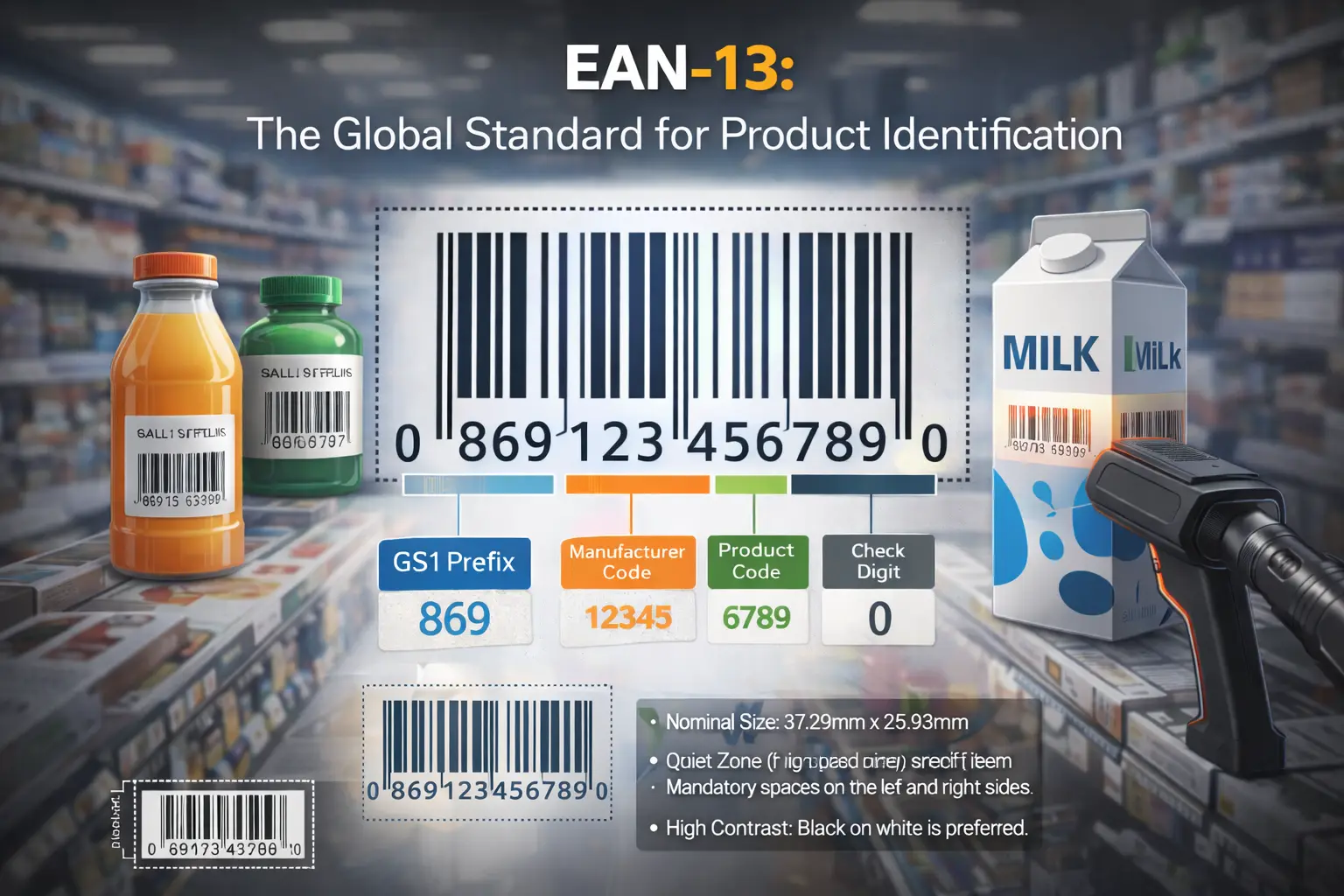
EAN-13 Barcode: Complete Technical Specification & Implementation Guide
A comprehensive technical reference for GTIN-13 and EAN-13 barcode implementation, covering number structure, parity encoding, guard patterns, Modulo-10 check digits, physical dimensions, quiet zones, printing requirements, scanner behavior, and retail deployment.
1. What Is an EAN-13 Barcode?
EAN-13 is one of the most widely used linear barcode symbologies for retail product identification. It represents a 13-digit Global Trade Item Number (GTIN-13) and is designed for fast, reliable scanning in supermarkets, pharmacies, warehouses, distribution centers, and other point-of-sale environments.
The EAN-13 symbol itself does not normally contain a product name, price, stock quantity, or description. It contains a standardized numerical identifier. After scanning, the connected POS, ERP, or inventory system uses that identifier to retrieve the corresponding product record from its database.
To create an EAN-13 barcode, use our free online barcode generator and download the result as PNG, JPG, or SVG.
Core Principle
GTIN-13 is the product identifier. EAN-13 is the machine-readable barcode symbol used to represent that identifier.
2. GTIN-13 Numerical Structure
An EAN-13 barcode represents thirteen digits. The final digit is a calculated check digit, while the preceding twelve digits form the main GTIN data.
| Component | Role | Technical Notes |
|---|---|---|
| GS1 Prefix Area | Number allocation | Identifies the GS1 numbering organization responsible for allocating the number range. It should not be interpreted as a guaranteed manufacturing country. |
| GS1 Company Prefix | Organization identification | Identifies the organization authorized to allocate product references within its assigned numbering capacity. |
| Item Reference | Trade item identification | Distinguishes one product or trade item from another within the allocated range. |
| Check Digit | Error detection | Calculated using the GS1 Modulo-10 algorithm and stored as the thirteenth digit. |
3. EAN-13 Symbol Architecture
The printed symbol is divided into a series of fixed structural regions. These allow scanners to detect the beginning, center, end, orientation, and encoded numerical information.
Start Guard
Marks the beginning of the barcode and helps establish the scanning structure.
Center Guard
Separates the six left-side data characters from the six right-side characters.
End Guard
Identifies the end boundary of the encoded EAN-13 symbol.
4. L, G and R Encoding Patterns
EAN-13 does not encode every digit using the same pattern. It uses three encoding families commonly referred to as L, G, and R.
| Pattern | Location | Purpose |
|---|---|---|
| L | Left side | Left-side odd-parity digit representation. |
| G | Left side | Left-side even-parity digit representation. |
| R | Right side | Right-side digit representation. |
The first numerical digit is not represented as an ordinary standalone digit pattern. Instead, it determines the sequence of L and G parity patterns used for the six digits encoded on the left side.
5. First Digit and Parity Encoding
The first digit of an EAN-13 identifier controls how the next six digits are encoded. This is one of the most important technical differences between EAN-13 and simpler fixed-pattern barcode implementations.
| Leading Digit | Left-Side Parity Pattern |
|---|---|
| 0 | LLLLLL |
| 1 | LLGLGG |
| 2 | LLGGLG |
| 3 | LLGGGL |
| 4 | LGLLGG |
| 5 | LGGLLG |
| 6 | LGGGLL |
| 7 | LGLGLG |
| 8 | LGLGGL |
| 9 | LGGLGL |
6. GS1 Modulo-10 Check Digit
The final digit provides basic numerical error detection. It is calculated from the first twelve digits using the standard GS1 Modulo-10 method.
- Start with the first twelve digits.
- Starting from the rightmost data digit, multiply alternating positions by 3.
- Add the weighted and unweighted values.
- Calculate the remainder after division by 10.
- The check digit is the value required to reach the next multiple of 10.
Formula
A valid check digit confirms mathematical consistency only. It does not prove GS1 ownership or product assignment.
7. Practical Check Digit Example
Consider the first twelve digits:
| Step | Operation |
|---|---|
| 1 | Apply alternating weights of 1 and 3. |
| 2 | Add all weighted values. |
| 3 | Determine the complement to the next multiple of 10. |
| 4 | The resulting check digit is 1. |
8. X-Dimension and Physical Scaling
The X-dimension is the fundamental module width used to define the physical size of a linear barcode. EAN-13 production dimensions are derived from this measurement.
X-Dimension
Controls the width of the narrowest module and therefore influences overall symbol width and print tolerance.
Magnification
Barcode scaling should follow the applicable specification rather than arbitrary percentage resizing in design software.
9. Quiet Zones
Quiet zones are mandatory clear spaces placed before and after the barcode. They allow the scanner to distinguish the barcode from surrounding artwork, borders, text, photographs, and packaging graphics.
Removing the quiet zone to make the barcode fit into a smaller area is a common production mistake. The resulting symbol may still look correct to a human but become unreliable during automated scanning.
Do Not Place Here
- Text
- Borders
- Logos
- Images
- Packaging seams
10. Print Contrast and Substrate
EAN-13 scanning depends on the optical difference between bars and background. The safest configuration is dark bars printed on a light, non-reflective background.
| Production Condition | Risk | Recommendation |
|---|---|---|
| Black on white | Low | Preferred configuration. |
| Dark colour on light background | Low to medium | Verify contrast before production. |
| Glossy packaging | Medium | Check scanner reflections and glare. |
| Transparent substrate | High | Provide a controlled opaque background. |
| Very low contrast colours | High | Avoid where reliable POS scanning is required. |
11. How a POS System Uses EAN-13
This is why the barcode itself normally does not need to contain product metadata. The GTIN is used as the database key, allowing product information to change without modifying the physical barcode.
12. Common EAN-13 Implementation Errors
| Error | Why It Fails | Correct Approach |
|---|---|---|
| Inventing a random GTIN | Checksum validity does not establish ownership. | Use legitimately allocated product identifiers. |
| Incorrect check digit | Scanner or software validation may reject the data. | Calculate using GS1 Modulo-10. |
| Lost leading zeros | The encoded identifier changes. | Store identifiers as text. |
| Horizontal stretching | Bar width relationships are distorted. | Scale proportionally. |
| Quiet zone removed | Scanner may not detect symbol boundaries. | Reserve the required clear area. |
| Testing only on-screen | Digital rendering does not reproduce print defects. | Test the final printed package. |
13. EAN-13 vs Other Barcode Standards
| Standard | Primary Use | Data Type |
|---|---|---|
| EAN-13 | International retail | GTIN-13 |
| UPC-A | North American retail | GTIN-12 |
| EAN-8 | Small retail packages | GTIN-8 |
| ITF-14 | Outer cartons | GTIN-14 |
| Code 128 | Warehouse / logistics | General alphanumeric |
14. Production Validation Checklist
Data Validation
- Correct 13-digit GTIN.
- Valid GS1 allocation.
- Correct check digit.
- Correct product mapping.
Physical Validation
- Correct barcode proportions.
- Required quiet zones.
- Adequate print contrast.
- No folds or seams.
- Successful production scan test.
Related Guides
Continue with the related retail and implementation references.